Azure DevOps on your iPhone and Apple Watch
Sevantor brings your boards, sprints, work items, pull requests and pipelines to your iPhone. For Azure DevOps in the cloud and on your own server. Native, fast, and private.

Free to try, Premium to do more
Requires iOS 26 and watchOS 26 or later.



Everything your team works on
Made for iPhone in SwiftUI, with the look of iOS and the words of Azure DevOps.
Your boards, in your pocket
The boards of every team, column by column, with the cards as you know them. New and changed cards stand out in blue, so you see at a glance what happened since you last looked. Filter by text, type, person or priority, and keep your filters per team.
Every detail of a work item
Fields, description, parent and children, links, history, comments and attachments. Edit the title and fields, assign it, change its state, add a tag or a comment with a picture and a mention.

Sprint and stand-up
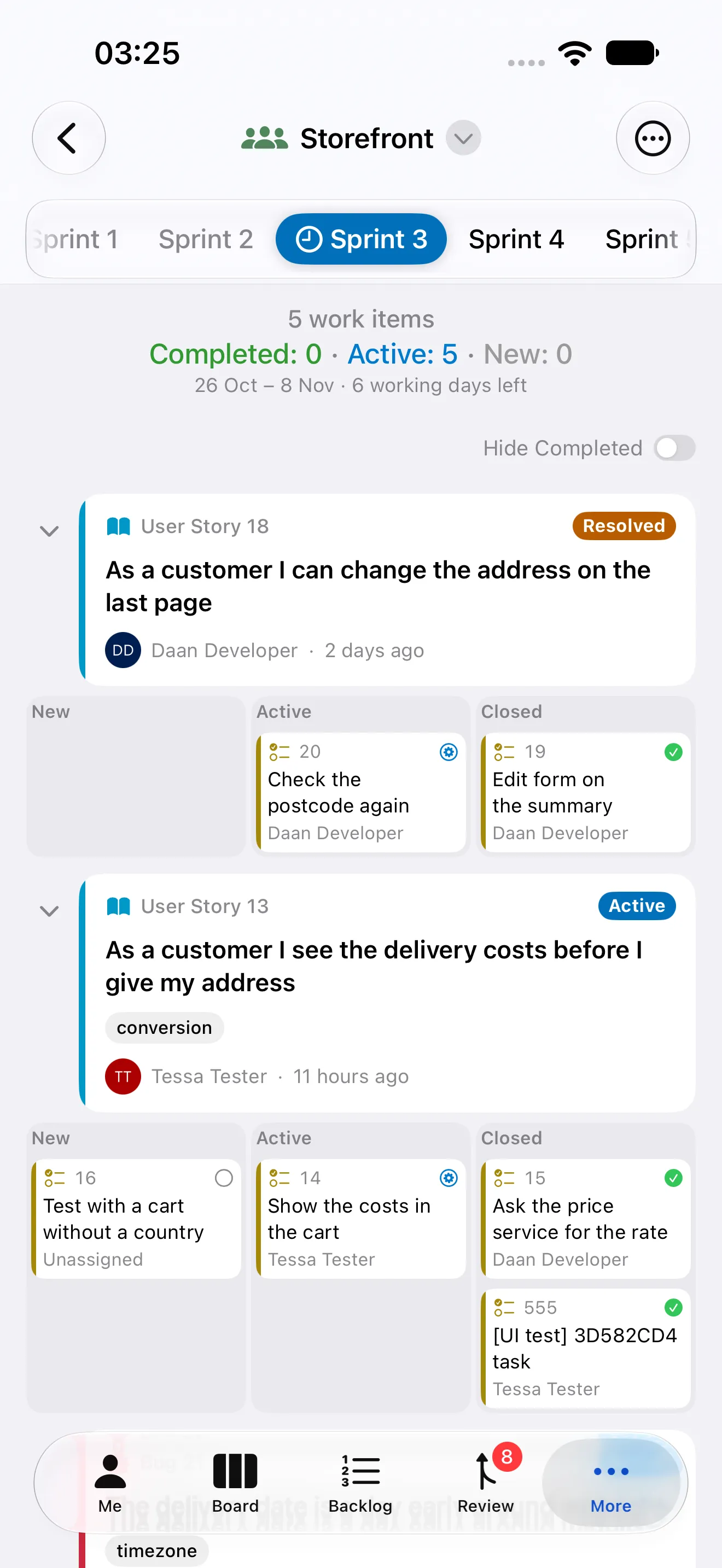
The taskboard of the running sprint, with the remaining work and the days left. Move tasks across columns, follow your work in the sprints of every team, and prepare the stand-up to share it.
Review pull requests anywhere
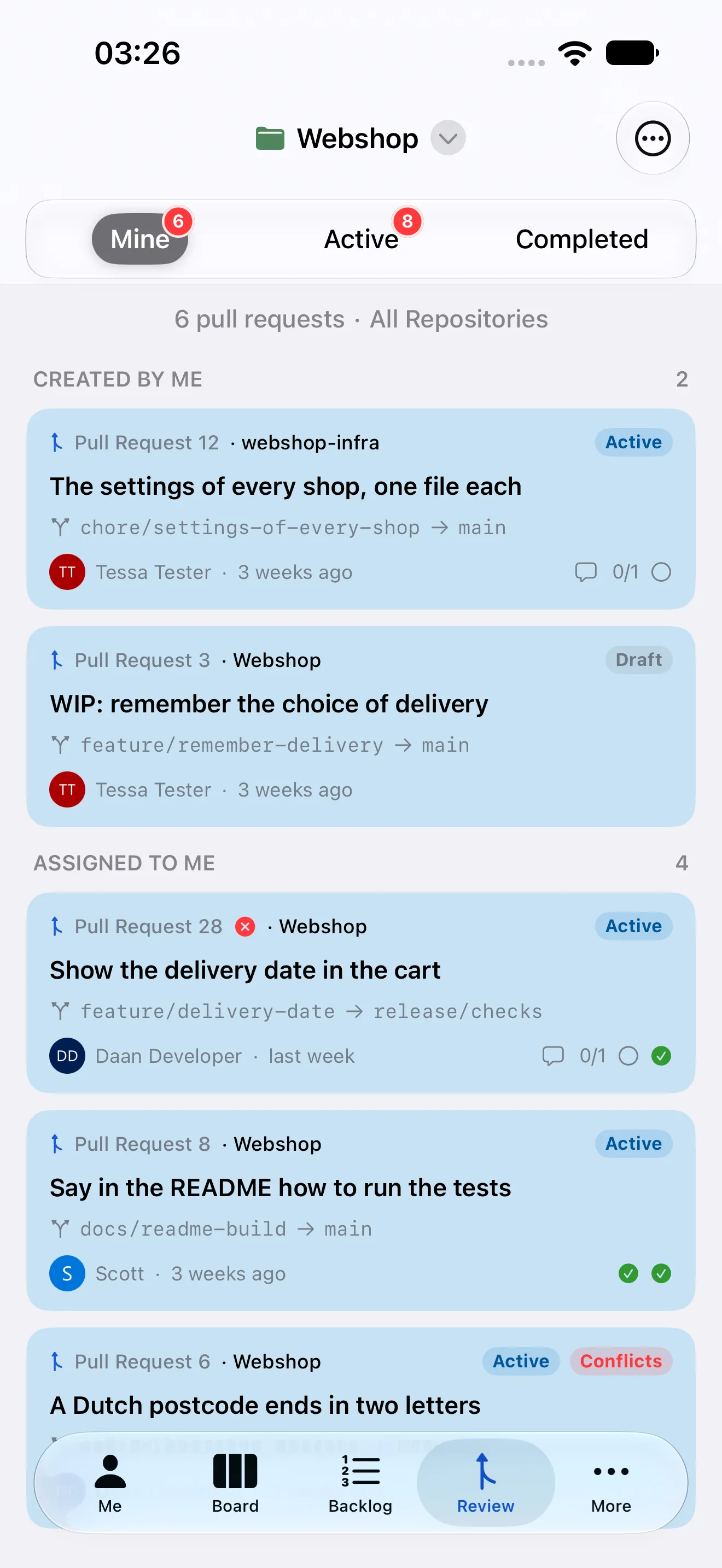
Pull requests you made, those that wait for your review and those you voted on. Read the files, the commits and the discussions, reply to a remark on a line, and approve, wait for the author or reject.
Pipelines and releases
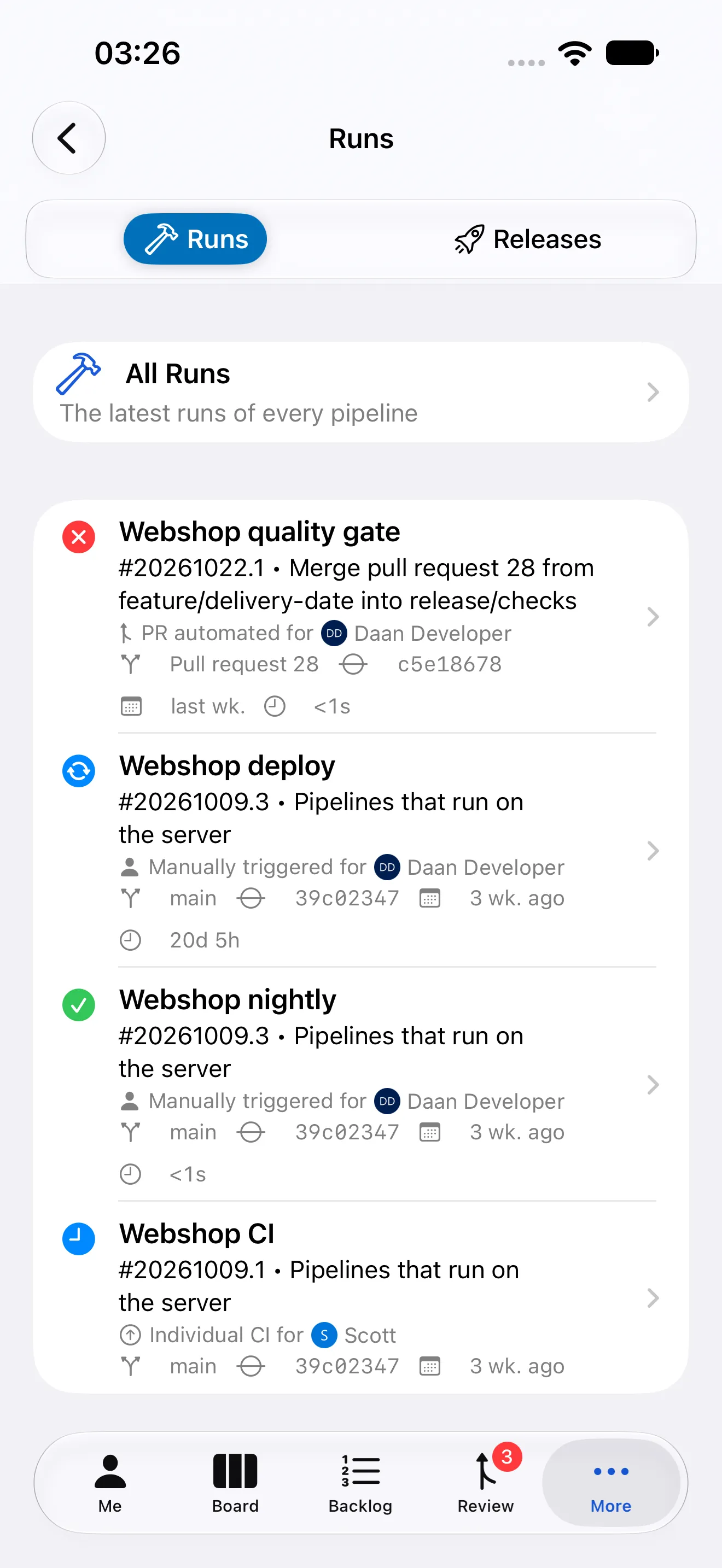
The latest runs of every pipeline and the releases of your release pipelines, with their stages. A run that failed for you shows up in a badge, and an approval that waits for you is one tap away.
A dashboard of your own
Your work at a glance: what is assigned to you, where you were mentioned, your favorite queries, the burndown of the sprint and, in Analytics, the velocity of your sprints and the cumulative flow of your board.

Search everything
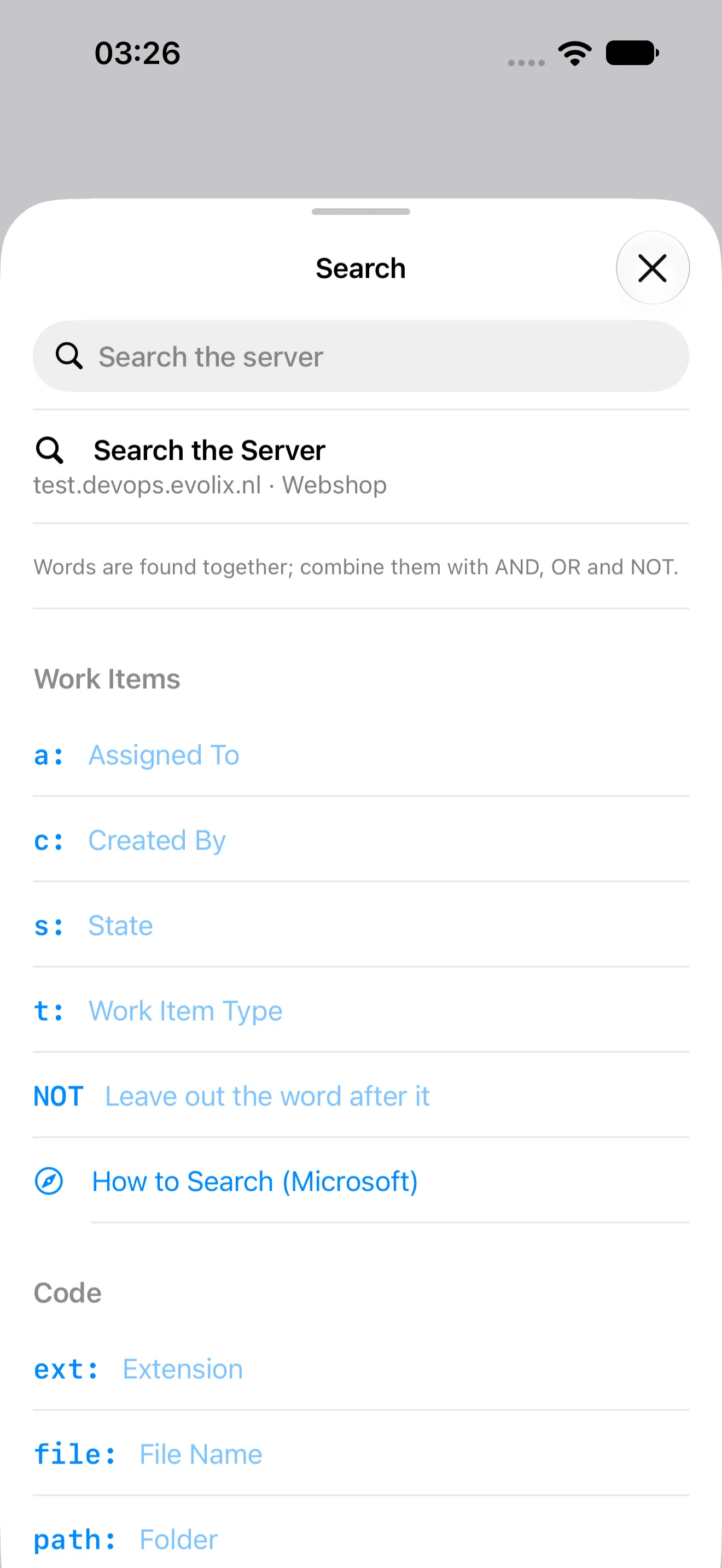
Work items, pull requests, code and wikis, with the search language of Azure DevOps and help to write it. Type a number to jump straight to a work item or a pull request.
On your wrist
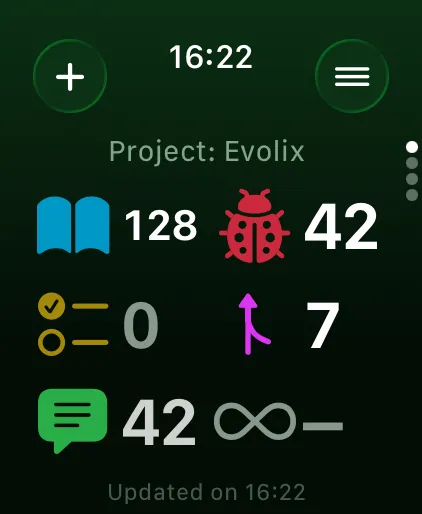
The work on your name, counted by type, on Apple Watch. Pull requests that wait for you and approvals in your pipelines count on a complication on your watch face. And dictate a new work item when it comes to mind.
The cloud or your own server
Azure DevOps Services with your Microsoft account, or Azure DevOps Server in your own network with a personal access token. Self-signed certificates are fine.
Private by design
No ads, no tracking, no analytics. The app talks only to your server, and to Microsoft when you sign in with it. Tokens stay in the Keychain of your iPhone.
Works offline
A copy of your boards stays on the device, so they are there at once when the app starts, and when the network is poor or gone.
Locked with Face ID
Ask for Face ID, Touch ID or your passcode when the app opens, and start read-only so nothing changes by accident.
Free and Premium
The free version shows everything there is to see. Premium lets you make changes, opens the sprint, the stand-up and the charts, and brings Sevantor to your Apple Watch.
Free
€0
View everything, on one server.
Premium
€24.99 / year
1 month free, or €2.99 by the month.
| Feature | Free | Premium |
|---|---|---|
| Privacy and Security | ||
| No ads from others | ✓ | ✓ |
| No tracking, no analytics, no diagnostics | ✓ | ✓ |
| Talks only to your server, and to Microsoft when you sign in with it | ✓ | ✓ |
| Tokens kept in the Keychain of this iPhone | ✓ | ✓ |
| Lock the app with Face ID or Touch ID | ✓ | ✓ |
| Free | ||
| View the boards of your teams | ✓ | ✓ |
| View the backlog | ✓ | ✓ |
| View work items, with their fields, comments and attachments | ✓ | ✓ |
| View your queries and their results | ✓ | ✓ |
| View your dashboard, with its counts and favorite queries | ✓ | ✓ |
| Pin work items and open them from Dashboard | ✓ | ✓ |
| View the work items assigned to you and where you are mentioned | ✓ | ✓ |
| View pull requests, with their files, commits and comments | ✓ | ✓ |
| View pipelines, their runs and releases | ✓ | ✓ |
| View the commits of a repository | ✓ | ✓ |
| View the files of a repository | ✓ | ✓ |
| View the wikis of the project | ✓ | ✓ |
| View what you opened recently | ✓ | ✓ |
| Search work items, pull requests, code and wikis | ✓ | ✓ |
| Filter the board | ✓ | ✓ |
| Choose your tabs, the theme and what a card shows | ✓ | ✓ |
| Connect one server, also in the cloud with Microsoft | ✓ | ✓ |
| Premium | ||
| Create work items | – | ✓ |
| Change the state of a work item, also from its card | – | ✓ |
| Assign work items | – | ✓ |
| Edit titles, fields, descriptions and tags | – | ✓ |
| Comment on work items, with pictures and mentions | – | ✓ |
| Attach photos and files | – | ✓ |
| Move work items to another sprint, area or project | – | ✓ |
| Reorder the backlog and the sprint | – | ✓ |
| Delete work items | – | ✓ |
| Create and edit queries | – | ✓ |
| Create pull requests | – | ✓ |
| Approve and reject pull requests | – | ✓ |
| Add reviewers to pull requests | – | ✓ |
| Comment on pull requests and resolve their threads | – | ✓ |
| Complete, abandon, reactivate and publish pull requests | – | ✓ |
| Approve pipeline runs and releases that wait for you | – | ✓ |
| Work on the taskboard of the sprint | – | ✓ |
| Follow your work in the sprints of every team | – | ✓ |
| Prepare the stand-up and share it | – | ✓ |
| See the burndown and the charts on Dashboard | – | ✓ |
| See the velocity of your sprints and the cumulative flow of your board in Analytics | – | ✓ |
| Connect more servers | – | ✓ |
| Use your boards without network (Offline Data) | – | ✓ |
| Get what is new on the board while the app is open | – | ✓ |
| Refresh in the background | – | ✓ |
| Get notifications and badges | – | ✓ |
| See your work on Apple Watch | – | ✓ |
| Dictate a new work item on Apple Watch | – | ✓ |
| Add a complication to your watch face | – | ✓ |
Prices in euros. The App Store shows the price for your country. A subscription renews automatically until you cancel it in the settings of your Apple Account.
Take Azure DevOps with you
Try it free on your own server or in the cloud. Questions? We are happy to help on the support page.
